
fwdlink
From page lead to paid job — one flow
Your FWDLink page captures the inquiry. Leads moves it through a pipeline, then your workspace handles the estimate, schedule, field work, invoice, and review request — optional Route Planner when you run multi-stop days.
End-to-end flow
Six steps from first tap to final payment
Your FWDLink page captures the inquiry. Leads tracks the pipeline. Your workspace carries the estimate, schedule, field work, invoice, and review — one brand, one forwardable link.

01
Your page captures the lead
Add a Get quote or contact form to your page. Submissions land in Leads with name, message, and form intent — the same fwdlink.com/you you already share everywhere, in texts, and QR codes.
Business owner capturing an inbound lead on a phone showing their FWDLink page form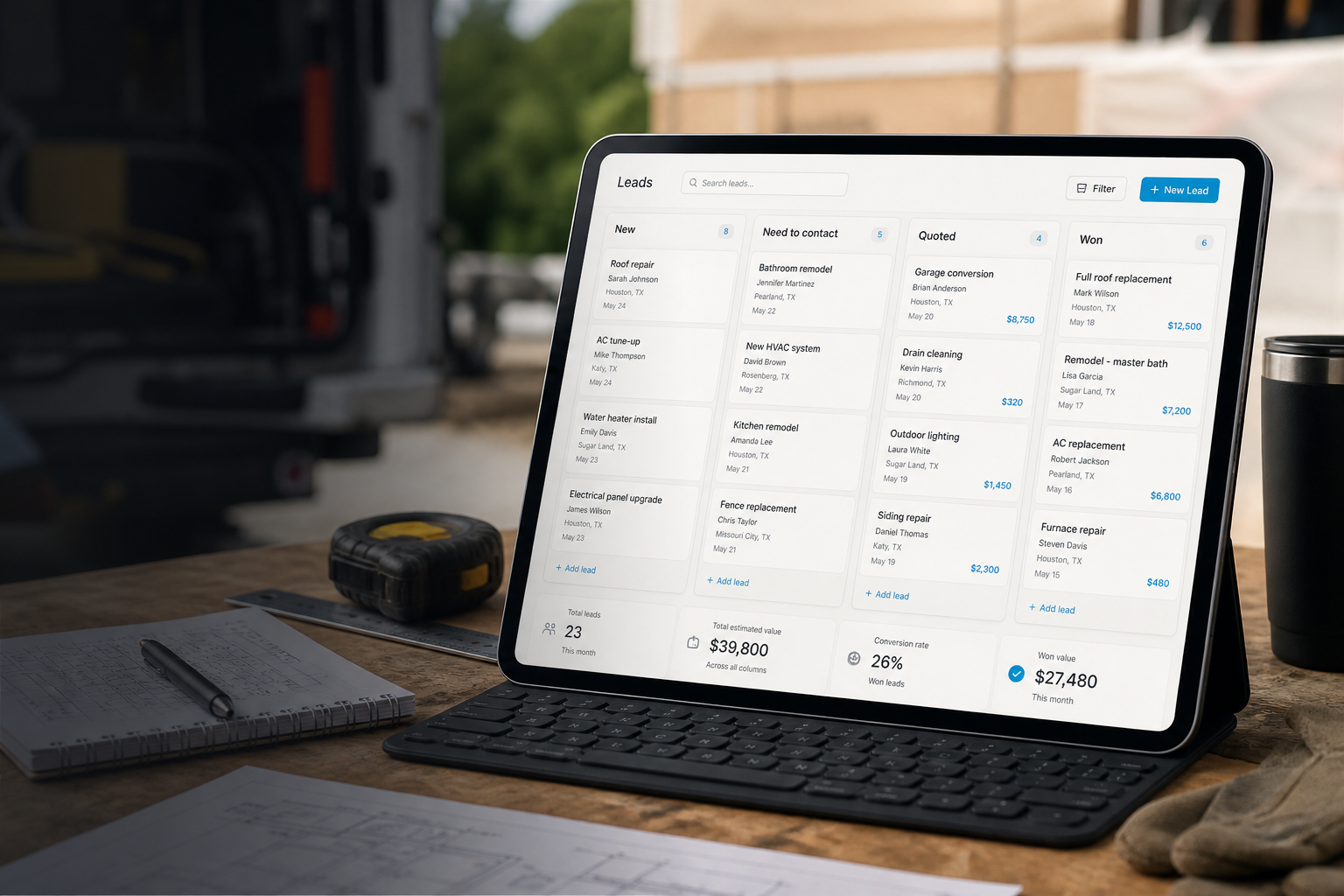
02
Work the pipeline
On the Leads page, move each message through New → Need to contact → Quoted → Won or Lost. Reply from the same thread and keep won jobs separate from dead ends.
Leads kanban pipeline on a tablet showing New, Need to contact, Quoted, and Won stagesDrag leads across the board on the Leads page. You always know who is new, who needs a call, who got a quote, and who you won or lost — before you open the estimate builder.
- New
- Need to contact
- QuotedLost
- Won
03
Save as client → create estimate
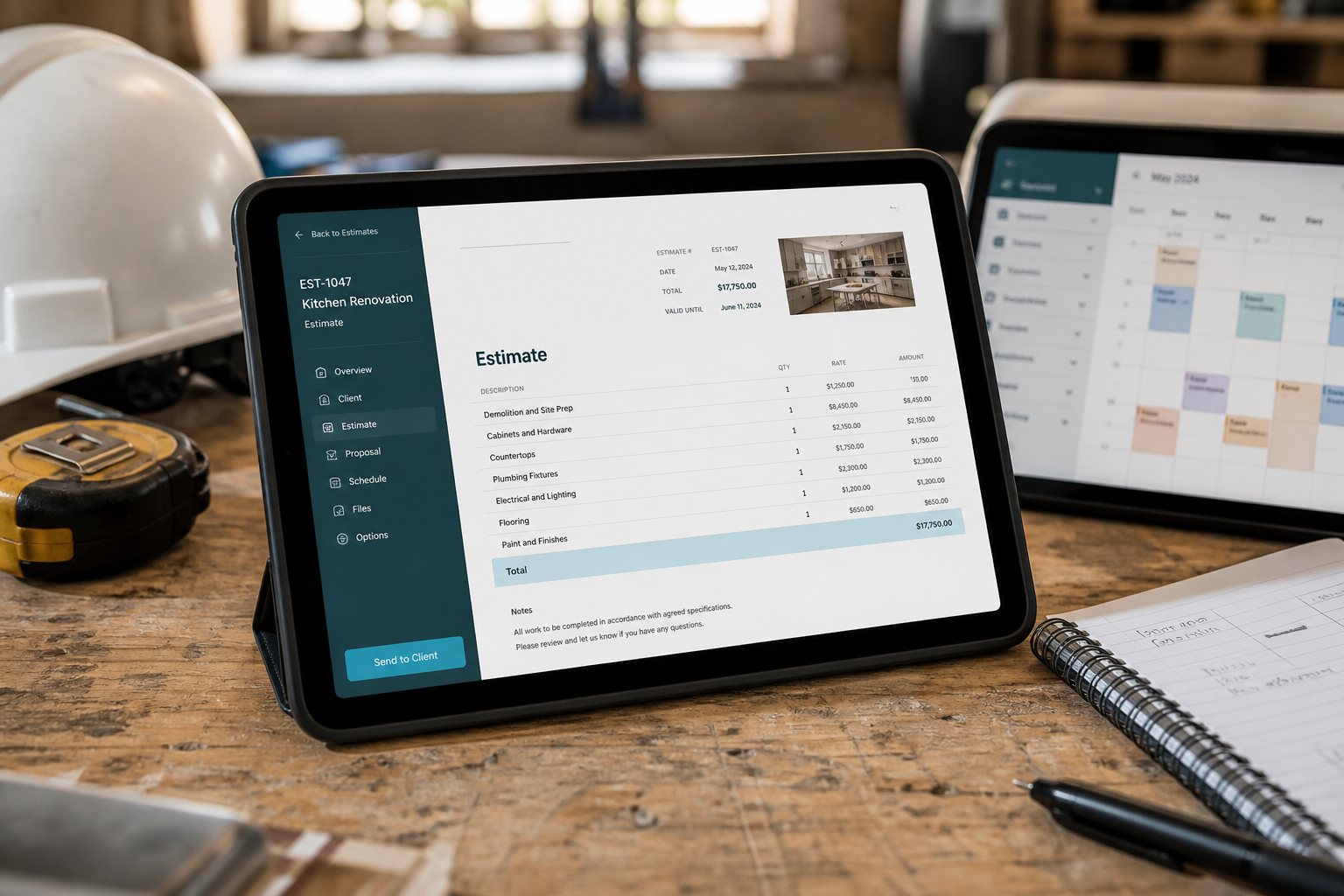
From the lead message, save as client and open Create estimate with customer details prefilled. The lead moves to Quoted while you build line items, terms, and send the PDF.
Tablet on a workbench showing an estimate beside tools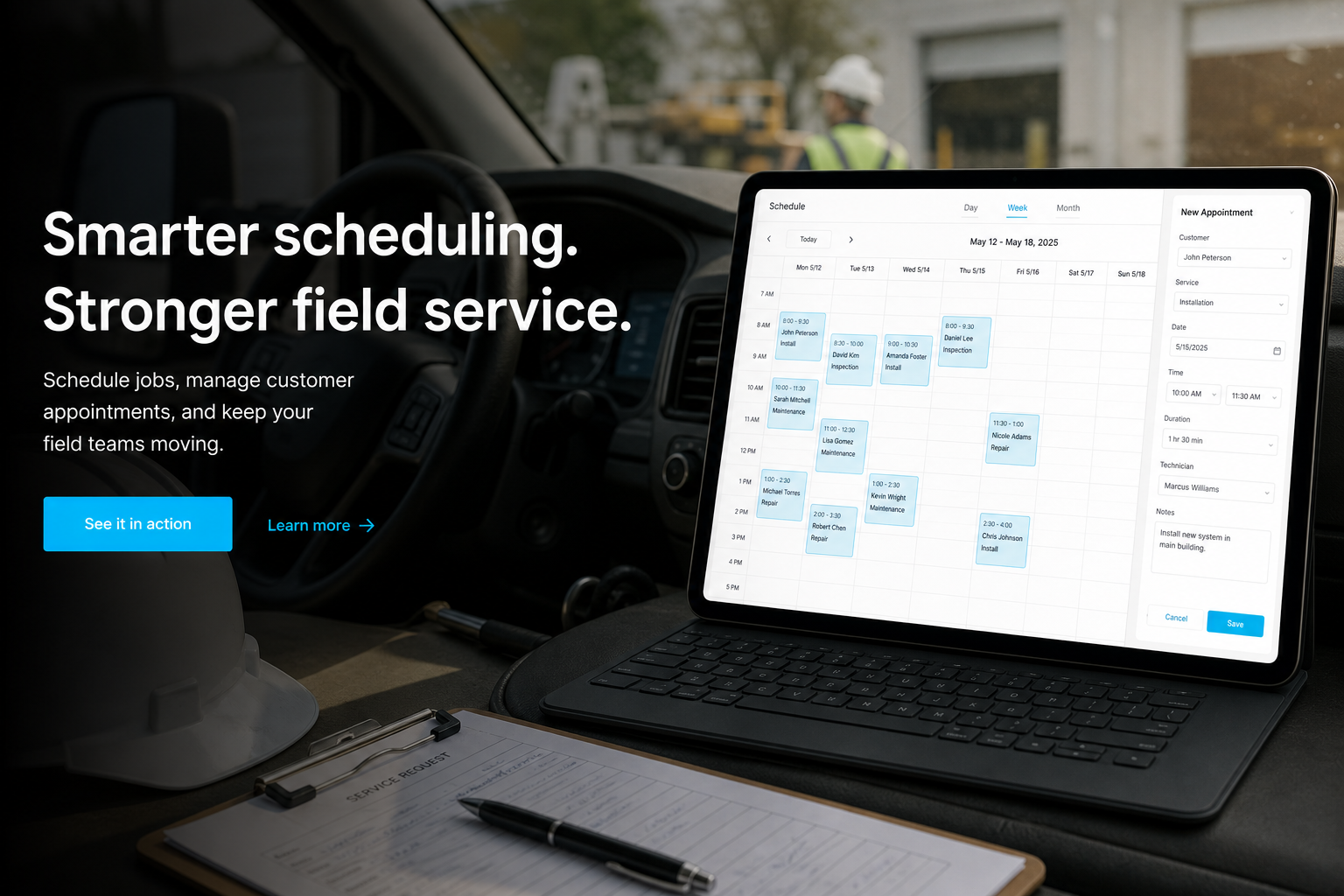
04
Schedule the job
Book the appointment from CRM Schedule with the customer already selected — name, contact, and job location carry over. Tie the calendar event to the client and the work ahead.
Calendar scheduling view with customer details prefilled for a service appointment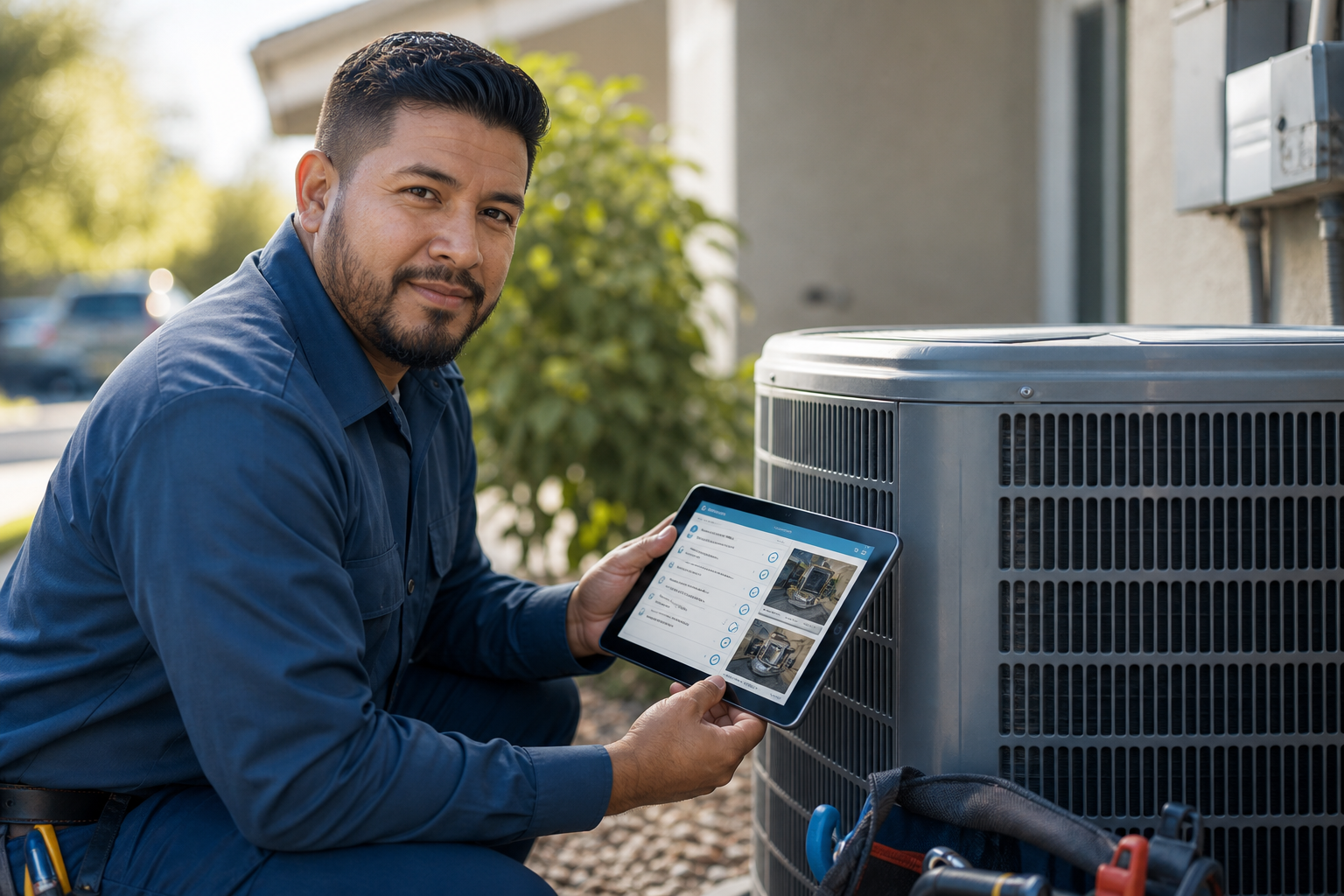
05
Run the work order
Track scope, photos, and status in the field from the work order tied to the job. On multi-stop days, the optional Route Planner add-on helps sequence stops — see Plans for add-ons.
Field technician reviewing a work order checklist on a tablet at a residential jobsite
06
Invoice & get paid
Send the invoice when the work is done and collect payment online. When review requests are enabled in your workspace, a satisfied customer can get an automatic ask after they pay — fees for online payments are on Plans.
Service professional confirming invoice paid on a smartphone after completing a jobYour page
The page is the front door
Your page at fwdlink.com/you is where clients find you — and where every inquiry stays in your workspace. Your public page and CRM live together under one brand, so leads never leave your flow.
fwdlink.com/you
Frequently asked questions
- Is this a full CRM or just lead capture?
- Full flow: capture on your page, pipeline on Leads, save clients, estimates, schedule, work orders, invoices, and optional review requests. Starter includes CRM to start.
- Where do form submissions go?
- Get quote and contact forms on your FWDLink page land in Leads with a pipeline stage. You reply and move the lead from the same place.
- How do estimates connect to the lead?
- Open a lead, save as client, then Create estimate — customer name, email, phone, and notes prefilled from the message. The lead stage updates to Quoted.
- Where do I see payment fees?
- Booking and CRM online payment fees depend on your plan. See current fees on Plans — we do not bury rates in this page.
- What about review requests?
- When review requests are enabled in your workspace settings, FWDLink can automatically ask for a review after an invoice is paid — you control whether it is on.
- What about Route Planner?
- Work orders run in core CRM. Route Planner is an optional business add-on when you want optimized multi-stop field days — see Plans and Add-ons in your workspace.
Run a stronger service business from the page you already share
Start free on Starter. See current fees on Plans when you are ready for online payments, seats, or add-ons.
Related
More ways to capture demand and close work on FWDLink
- Your link captures leads — and can run the job
- Get booked from one link — with clear booking fees
- A lead generation page that captures contacts from one link
- Capture emails on the page your audience already opens
- Jobsite photos on your page — trust first, then the close
- The jobsite photo app that organizes every job — on site or in the field
- Show the work. Get the reply.
- Plans & pricing