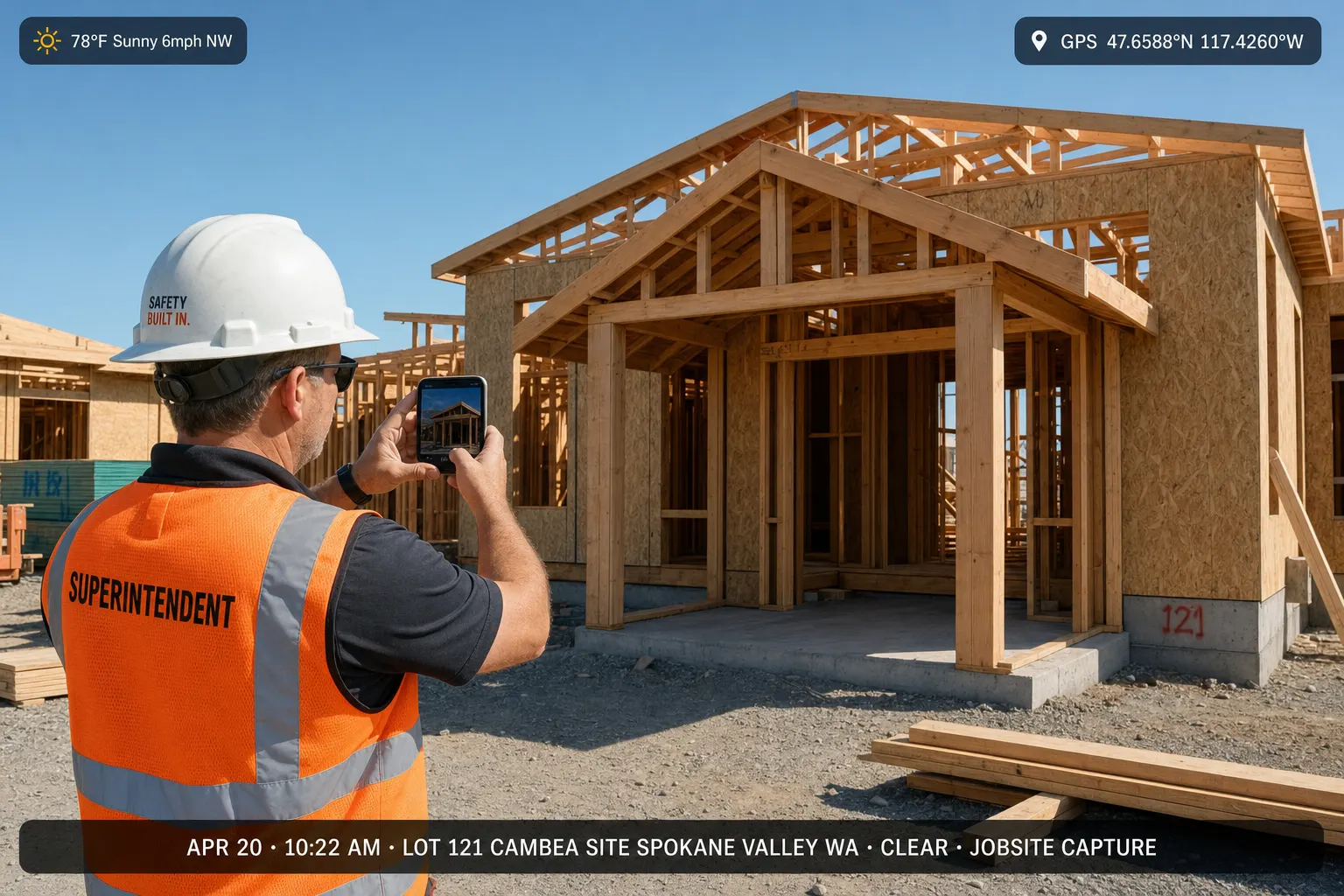
Jobsite photo app
Job photos that win work
Store worksite photos in job albums, send one client link, invoice with the same shots, and get found for new work nearby.
Get the app


By job
One album per address
Live link
Client opens in the browser
Proof on the invoice
Estimates & invoices
Starter free
Your page and CRM to start
Why crews switch
One place for the photos that run the job
Organize by job address
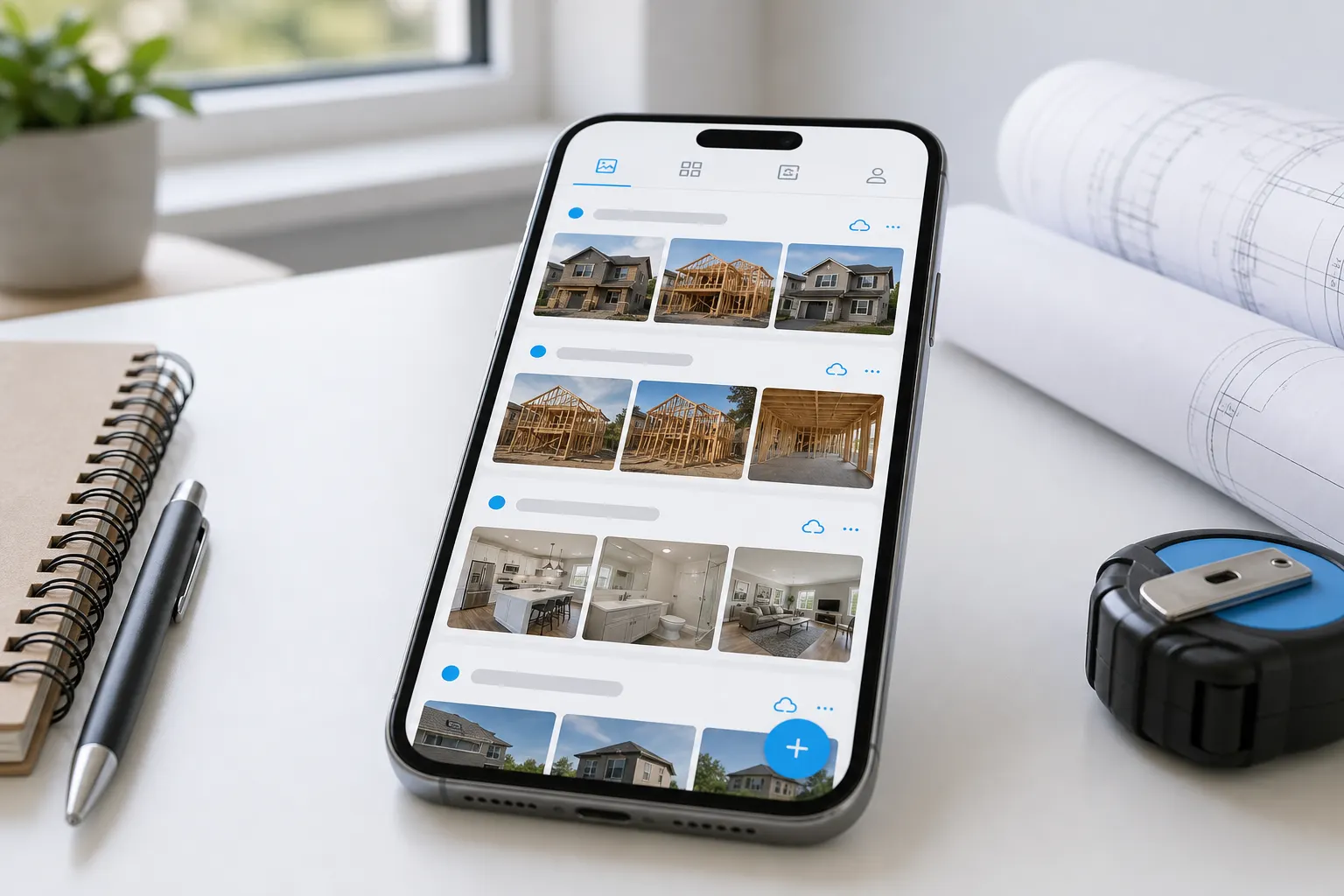
Each job gets its own album at that address — work photo storage that stays searchable for warranties and callbacks, not mixed into Recents.
Crew adds from the field
Invite technicians and helpers to upload from the site. Office and field see the same photos — nobody is chasing texts.
Share with clients, then invoice
Send a link they open in the browser. Put the same photos — or a short walkthrough — on the estimate and invoice.
Get found for new jobs
Your Page is free. Show real job photos, say you’re taking work, and show up on Local Pages and marketplace so nearby jobs can find you.
Sound familiar?
Four headaches. One place for the photos.
Mixed camera roll
Photos from four visits sit in one camera roll — hard to find the right shots when a client calls.
With FWDLink: Album per project
Keep photos by job address so every shot stays with that project.
Crew out of sync
Techs text photos to dispatch, dispatch texts the office, and nobody has the full set when it’s time to share.
With FWDLink: Crew on one album
Everyone uploads to the same album — field and office see the same photos.
Messy handoffs
Twenty compressed texts or a Drive permission maze doesn’t look like a finished job.
With FWDLink: One client link
Share a clean gallery from your page. Keep adding photos without resending a new link.
Photos here, invoices there
You prove the work in photos, then switch apps to quote, schedule, or invoice.
With FWDLink: Page + CRM
Put before-and-after photos on estimates and invoices — same page, same brand.
How it works
From the jobsite to a paid invoice — and the next job
- 01
Take pictures on the job
Use the phone you already have. Before, during, and after — it all starts on site.
- 02
Keep them with that job
Each job gets its own album. The pictures live there, not mixed with everything else on your phone.
- 03
Send the client one link
They open the photos in any browser. No app to install. You can add more; the same link stays current.
- 04
Put pictures on the invoice
Use the same photos on the estimate, work order, or invoice so the bill shows the work you already captured.
- 05
Get found for new work
Your Page is free. Show real job photos so people nearby can find you.
The full picture
Everything about documenting jobs with FWDLink
Work photo storage for the pictures you already take
If you take pictures on the job, they usually land in the same camera roll as everything else. A jobsite photo app is work photo storage built for jobs: each worksite gets its own album by address, so the proof stays findable — not buried in a scroll.
You are not learning a new kind of photography. You already shoot the work. FWDLink makes those shots do three more jobs: the client gets one link, the invoice shows the pictures, and Your Page is free — so nearby work can find you from real job photos on Local Pages and marketplace.
What you get on every job
Five outcomes from the same photos — so the camera in your pocket is worth more than a camera roll.
- Shoot on site. Progress, the problem, the finish — with the phone you already carry.
- Keep it in that job’s album. Name it the street, the client, or the job type — you’ll find it months later.
- Send the client one link. They open a gallery in the browser. They don’t install an app. You can add more shots to the same link.
- Invoice with the pictures. Estimates, work orders, and invoices can carry the photos you already took.
- Get found for new work. Put real job photos on Your Page so people nearby can hire you.
Find any job’s photos in seconds — not ten minutes of scrolling
An album is one job’s folder — photos, video, and files for that visit or that address. New albums stay private until you share them. A title you’ll recognize later is enough: the street, the client, or the job type.
- Open the album on the way to the site. Optional: pin the job / site location so it is tied to a real address.
- Drop arrival shots, open walls, equipment tags, and before-and-afters into this job as you go — not into a mixed camera roll.
- Finish shots and punch items live in the same album. Months later, a warranty or callback is that job — not a folder hunt. Same idea as a jobsite photo organizer, with a paper trail in warranty photo documentation and visit-by-visit proof in field service photo documentation.
Your crew adds photos. You still own the bill.
Invite technicians and helpers with upload access. They add stills from the site. Office and field see the same album, so nobody is chasing texts for the flashing detail or the serial plate.
Billing, client links, estimates, and invoices stay with you. The crew feeds the proof; you send the link and the bill. That’s crew job photo documentation on the phone you already have — see it from your phone.
One client link beats a camera-roll dump
Sending a pile of pictures from your phone mixes this job with family photos, blurry shots, and last week’s supply run. The client asked for this job — not your whole camera roll.
Share one link from the album or Your Page. Homeowners and property managers scroll the photos in any browser — they don’t need the app. Keep adding shots; the same link stays current. That’s how you share work photos without a zip, including before and after photos in the same gallery.
- Public — anyone with the URL.
- Password — a simple gate for client work you would not post in public.
- Private — invite-only.

Estimates and invoices that already show the work
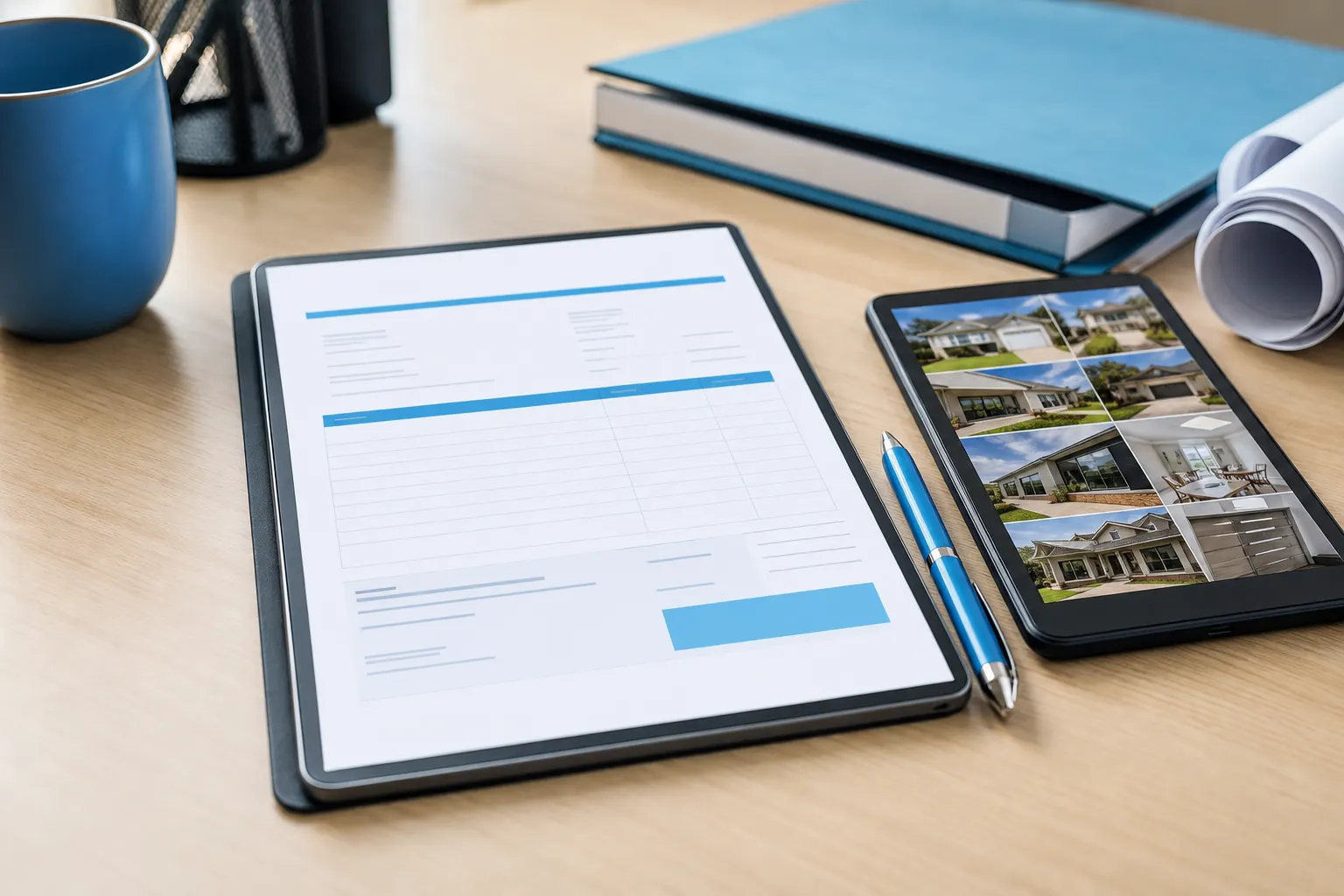
The album and the paperwork share one workspace. After the photos are in, send an estimate while the job is still fresh. Turn it into a work order when they say go. Invoice with the same pictures — or a short walkthrough — so the bill shows the work you already captured.
Attach photos, a walkthrough, files, or a live FWDLink from the album. Clients can watch video on the public estimate or invoice, and the FWDLink stays current as you add more. See invoices and estimates and the field service CRM. Bookings and your customer list live here too. Starter is free — Plans has storage, extra teammates, and online payment fees.
Get found for new jobs with the photos you already take
Your Page is free. Claim fwdlink.com/you. Put real job photos, booking, and a way to reach you on one link. Only what you publish on the page is public — albums in Records stay private until you feature or share them.
When you want more work nearby, turn on Available for hire in Page settings. You show up for hire in your city with your headline, rate if you set one, and skill tags. Leave it off if you don’t want hire messages.
Show up nearby on Local Pages and marketplace
Local Pages is where public FWDLink pages show up nearby — by city and trade, with the job photos people can actually look at. Someone browsing locally finds a page that looks ready for work.
Marketplace is Help Wanted, jobs, and listings. The same photos you take on site help you look ready for the next hire. Use both: a living Page on Local Pages, and marketplace when you’re scanning or posting work nearby.
Workflows that hang off the same jobsite photo app
Same albums by address — different moments on the job. Pick the page that matches what you searched for.
- Timestamp camera app — dated albums when a warranty call asks “when?”
- GPS camera app — stop albums when someone asks “which site?”
- Site inspection app — walkthrough sets you can quote against
- Proof of delivery photos — drops and handoffs that survive “we never got it”
- Photo evidence for insurance — damage → mitigation → repair by property
- Jobsite photos vs phone camera — why Recents is not a job file
- Free photo tools — stamp a JPEG or read GPS in the browser
HVAC, plumbing, garage door, roofing — any trade that shoots the job
The same jobsite photo app works for anyone who needs proof on active jobs — not only construction crews. Pick your trade for examples you can steal.
- HVAC techs: HVAC job photos stay with the address for rough-in, repair, and callbacks.
- Plumbers: plumbing job photos for the line, the fixture, and the finish.
- Electricians: electrician job photos for panels, runs, and punch lists.
- Garage door installers: garage door job photos for the old door, springs, opener, and finished install.
- Landscapers: landscaping before and after for every visit.
- Roofers: a roofing photo app for tear-off through close-out.
- Painters and remodelers: painting before and after and a general contractor photo app for each phase.
Jobsite photo app on iPhone and Android
FWDLink is on the App Store and Google Play, and it works in the browser. Clients just open your share link — they don’t install anything. On your phone you’ll find Home, Local, Marketplace, Add, Your Page, and More.
- Home — your day and what’s waiting.
- Local — pages and work nearby.
- Marketplace — Help Wanted, jobs, and listings.
- Add — start an album, request files, or share from the field.
- Your Page — the public link people open.
- More — the rest of the app, including settings.
Take photos, check nearby work, add a job, and open Your Page without sitting down at a desk. More on using FWDLink from your phone. New here? See the homepage or how it works — then claim Your Page.
Get the app
Starter is free to start. Claim a page, send a client a link, invoice with photos, and show up for new jobs nearby. See Plans when you need more storage, extra teammates, or online payments.
Questions about the jobsite photo app
What is a jobsite photo app for contractors and field service?
Can I use this as work photo storage or work photo albums?
How do I organize jobsite photos by project?
Can my crew share photos on site without giving up billing control?
How do I share job photos with clients without an app install?
Can I attach jobsite photos, video, or a FWDLink to estimates and invoices?
Is this only for construction crews?
How is a jobsite photo app different from a camera roll or Drive folder?
What does FWDLink cost for jobsite photo documentation?
Can this jobsite photo app help me get new jobs nearby?
Does FWDLink include CRM, bookings, estimates, and invoices?
Is there an iPhone and Android jobsite photo app?
Why send a share link instead of dumping my camera roll?
What is Available for hire on Your Page?
What’s the difference between Local Pages and marketplace?
Can work orders include the same photos as the estimate?
Start free. Keep the photos. Get found.
Claim a free page, send a client a live gallery, invoice with pictures, and show up for new jobs nearby.
Then show up on Local Pages with the photos you already take.
Get the app
- Photos stay in that job’s album — not mixed with family shots and last week’s supply run.
- Send one link. Your client opens a gallery in any browser — they don’t need an app.
- Invoice with the same pictures. Show real jobs on Your Page so nearby work can find you.