FWDLink
Your private photo vault.
Lock albums with a PIN, biometrics, or encryption — private in your cloud until you decide to share.
Free forever plan · Claim your page · Start in minutes
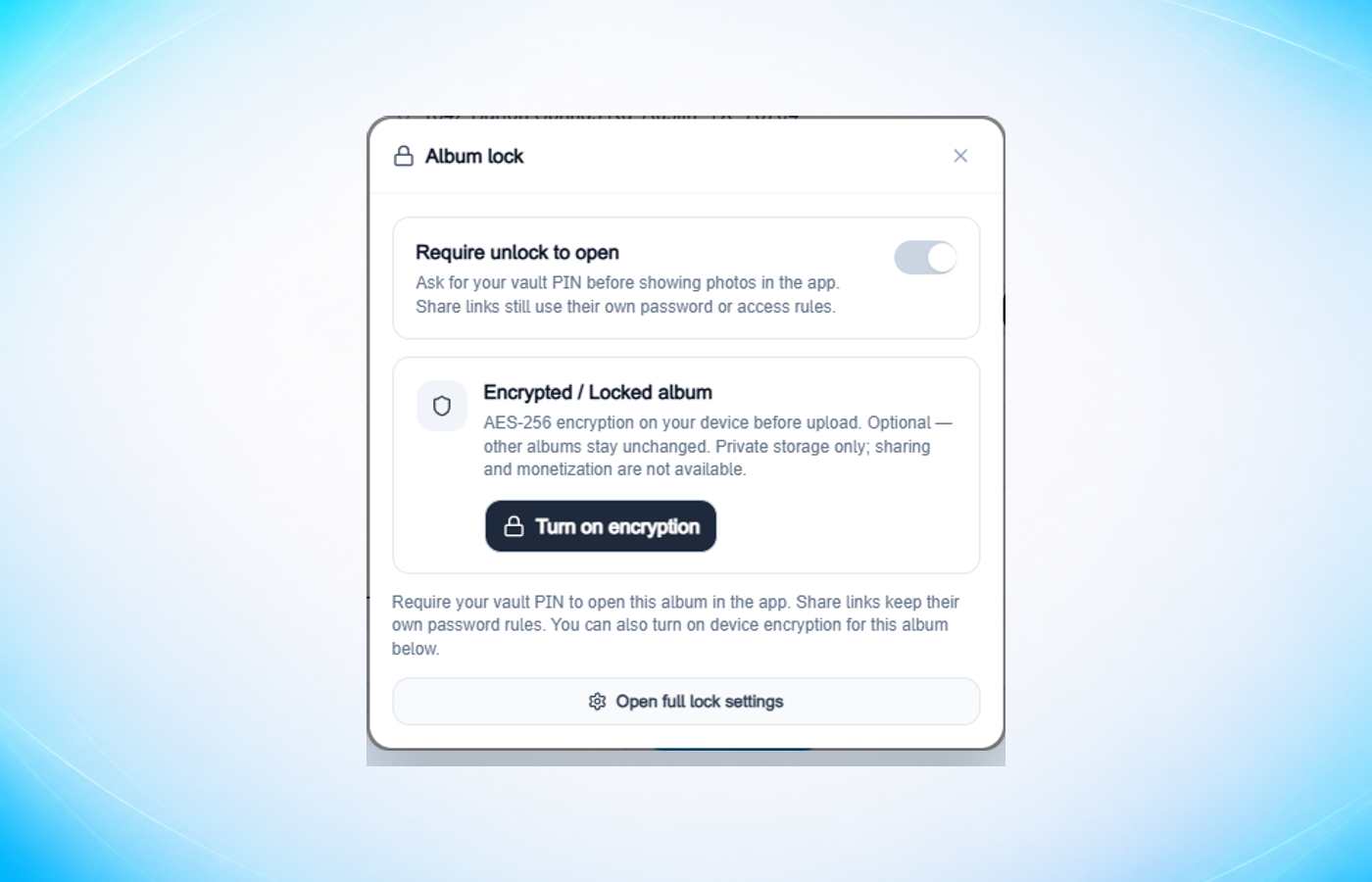
Album lock
One lock per private set.
Require a PIN before photos open. Turn on encryption when a set needs it. Full settings live in Help.
Get set up
Claim. Lock. Keep private.
Three steps from signup to a gated private album.
01
Claim your FWDLink
Sign up free, claim your username, and create an album for the private set.
02
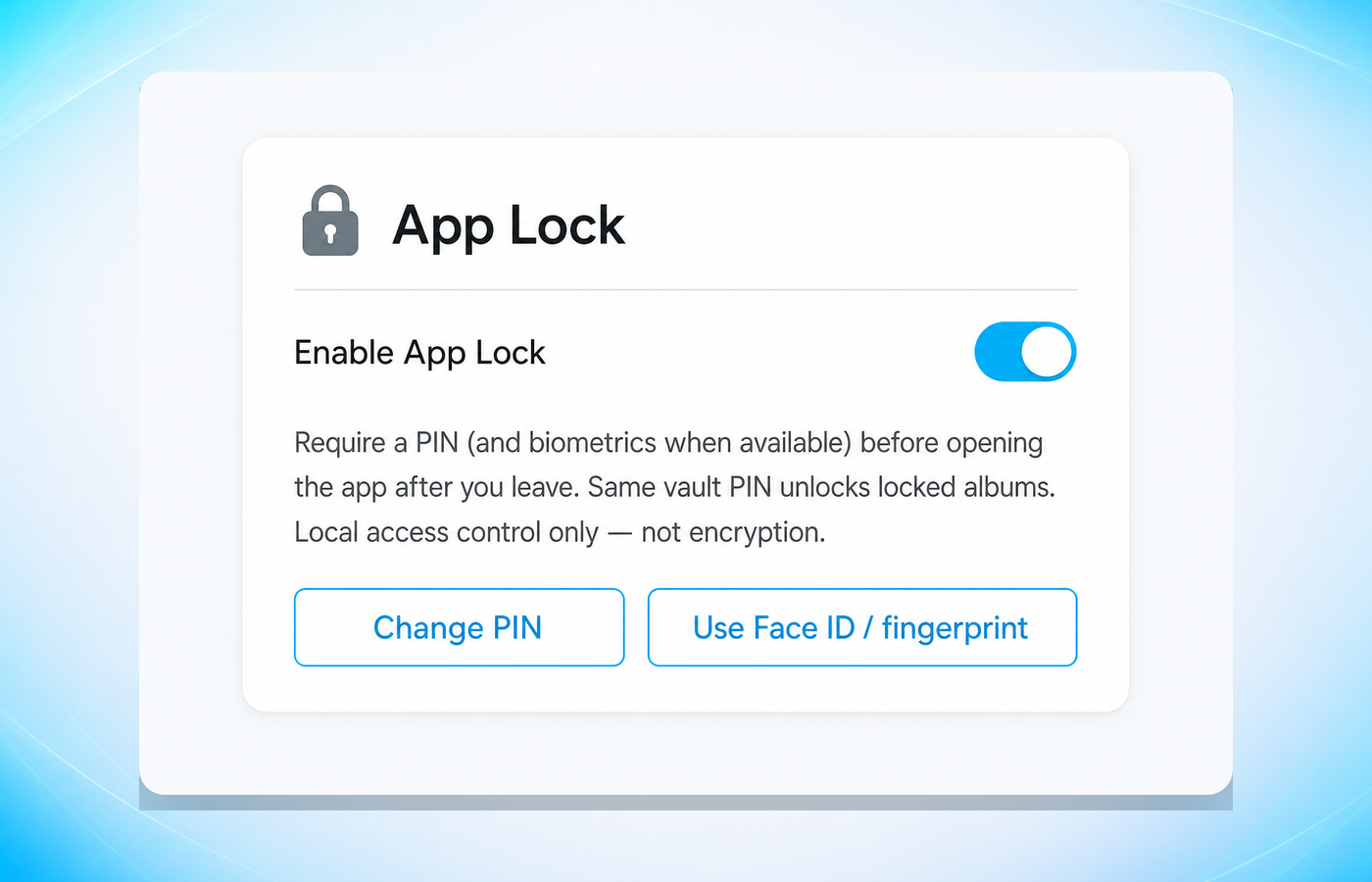
Turn on App Lock
Set a vault PIN. Add Face ID, Touch ID, or Windows Hello when your device supports it.
03
Lock the albums that matter
Require unlock — or encrypt with AES-256 on your device before upload.
PIN for access. Encryption at rest.
App Lock and require unlock gate who opens the app or album. Optional AES-256 encrypts media on your device before storage — only on albums you choose.
App Lock + require unlock
PIN and biometrics for the session — access control, not encryption.
Optional encryption
AES-256 before upload. Other albums stay as they are.
Share on your terms.
Vault albums are private by default. When you share, use a password or private link. Open public links and monetization stay blocked on vault-locked sets.
Password or private share
Send a gated link when you choose to share a set.
Public + paid rails — off
Ungated public links, paid unlock, memberships, tips, and sales stay blocked.
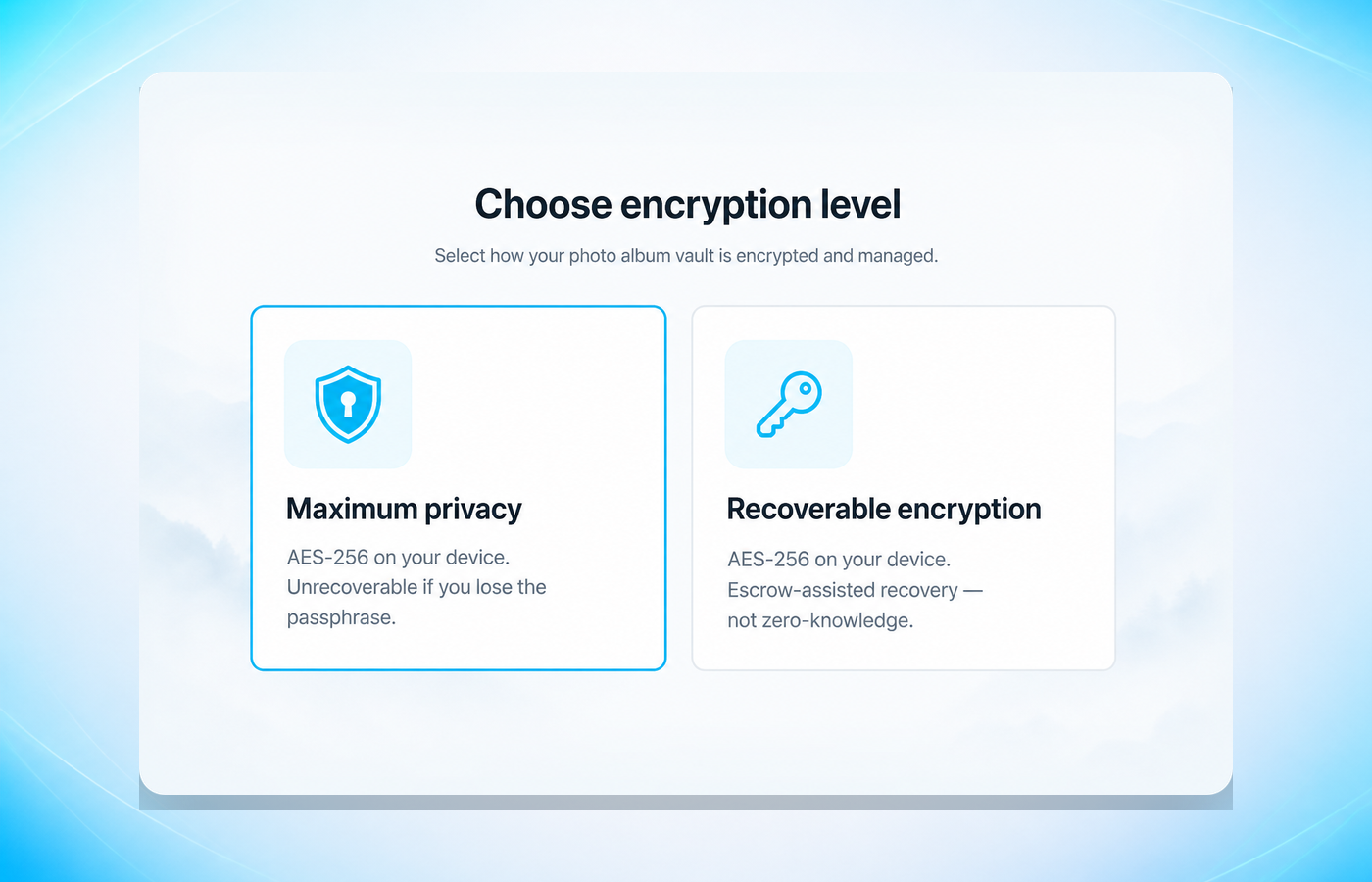
Two encryption levels. Recovery is the tradeoff.
Both encrypt on your device before storage. Maximum privacy is unrecoverable if you lose the passphrase. Recoverable encryption adds escrow-assisted recovery — not zero-knowledge.
Start free. Upgrade storage when you need it.
Starter is free. App Lock and Album lock are part of the product — see Plans for capacity and Pro options.
See plansFrequently asked questions
- Is FWDLink a private photo vault?
- Yes — private cloud storage with App Lock, per-album unlock, and optional encrypted vault albums. Photos live in your FWDLink library under your locks. It is not a camera-roll hide: FWDLink does not disguise the app or remove files from your device gallery.
- What is the difference between App Lock and album encryption?
- App Lock (PIN and biometrics) and per-album require unlock control access in the app session. Encryption encrypts album media with AES-256 on your device before storage. Use App Lock alone, or add encryption on albums that need stronger at-rest protection.
- What happens if I lose my Maximum privacy passphrase?
- Maximum privacy albums are unrecoverable without your passphrase or PIN — FWDLink cannot restore them. Choose Recoverable encryption if you want escrow-assisted recovery; that level is not zero-knowledge.
- Can I share or monetize vault / encrypted albums?
- You can share with a password-protected or private link. Monetization (paid unlock, memberships, tips, sales) and open public links stay blocked. Un-encrypt if you need open public or paid distribution on non-vault rails.
- Where do I learn how Album lock works?
- See How Album lock works in Help at /help/album-lock — Require unlock, Encrypted / Locked album, and full lock settings. More guides at /help/.
Lock the sets that should stay private.
Claim your FWDLink, turn on App Lock, and protect albums with PIN or encryption.