
Free jobsite photo app · Contractors & field service

Free jobsite photo app

Your field service photo app on any phone — capture job site pictures and service job photos on site, organize by project address, and share with clients. Free to start on Starter.

Get the app

Download on the App StoreGet it on Google Play
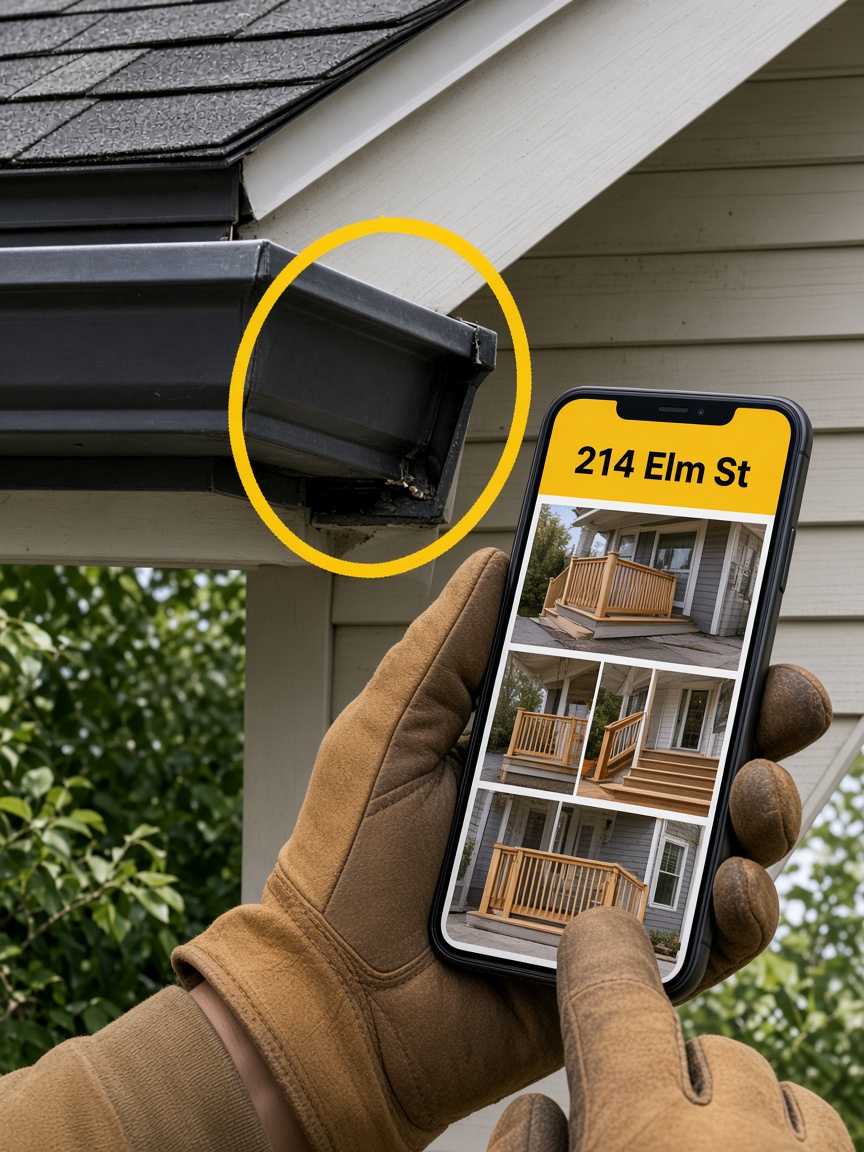
Gloved hands holding a phone open to a jobsite photo album, with yellow markup on the house behind

Snap it. File it. Share it. Invoice it.

  • Album per job address

    Pin the street so every jobsite picture lands with that job — not mixed into Recents with four other sites.

  • iPhone and Android in the field

    Crew phones differ. The job album should not. Capture from either phone into the same set.

  • One client link, then the paperwork

    Share a live gallery from your page. When they have seen the work, send the estimate or invoice with the same pictures attached.

  • Free to start

    Starter includes your page, albums, and CRM basics — no card required to begin. See Plans when you need more storage, seats, or online payments.

A jobsite picture app is work photo storage — not another camera roll

You already take pictures on every stop. The problem is finding Tuesday’s pitch when ten roofs look the same in Recents. FWDLink’s jobsite picture app pins each set to the address so the crew, office, and client open the same album.

Built for phones in the truck — iPhone and Android

Field crews mix devices. Your jobsite picture app should keep one album per address whether the lead tech is on iPhone or Android — then let you FWD a client link and attach the same set to the estimate.

Show the pictures, then send the number

Once the client has scrolled the album, send the estimate or invoice with those jobsite pictures attached. Starter is free to start — see Plans for storage, seats, and online payment fees.

From the first jobsite picture to the packet you send

Capture on the phone, file by address, share one client link, then attach pictures to the estimate or invoice — free to start on Starter.

  1. Capture jobsite pictures on site

    Shoot progress, before-and-afters, and walkthroughs from iPhone or Android at the job.

  2. File the album by address

    Pin the jobsite so every picture stays searchable for warranties, callbacks, and owner updates.

  3. Share one live client link

    Owners and GCs open the gallery in any browser — no app install, no zip file.

  4. Attach pictures to the estimate or invoice

    Same workspace as your page. Send paperwork with the jobsite pictures they already scrolled.

Jobsite picture app — FAQ

  • What is a jobsite picture app?

    A jobsite picture app stores field photos by job address — not in a mixed camera roll. You capture on site, keep an album per street, share one client link, and attach the same pictures to estimates and invoices. That is FWDLink.

  • Is there a free jobsite picture app for iPhone and Android?

    Yes. FWDLink’s Starter plan is free to start — your page, albums, and CRM basics with no credit card. Capture from iPhone or Android into the same job album. See Plans when you need more storage, seats, or online payments.

  • How is a jobsite picture app different from Google Photos or Drive?

    Folder sync dumps months of shots into one place. A jobsite picture app files by address, gives the client a live gallery link, and keeps the same set next to estimates and invoices on your page.

  • Can my crew upload jobsite pictures without billing access?

    Yes — invite teammates with upload access. They feed the job album from the field. Client links and estimates stay with you.

  • Can I attach jobsite pictures to estimates and invoices?

    Yes. Your page and CRM share one workspace. Attach stills, walkthrough video, or a live FWDLink from the job album so the paperwork matches what they already scrolled.

Start the next jobsite picture album free

Claim a free page, capture jobsite pictures on site, file them by address, and share one client link. Then attach the same album to the estimate or invoice. Starter is free — see Plans for storage, seats, and online payment fees.

Start free