
For mobile detailing companies and solo detailers

Before and after photo app for mobile detailing

Capture the dusty paint and the finished shine on your phone, keep them on your FWDLink page, and send the customer one link. Then put those photos on the invoice — and show real details on your page so nearby jobs can find you.

Get the app

Download on the App StoreGet it on Google Play
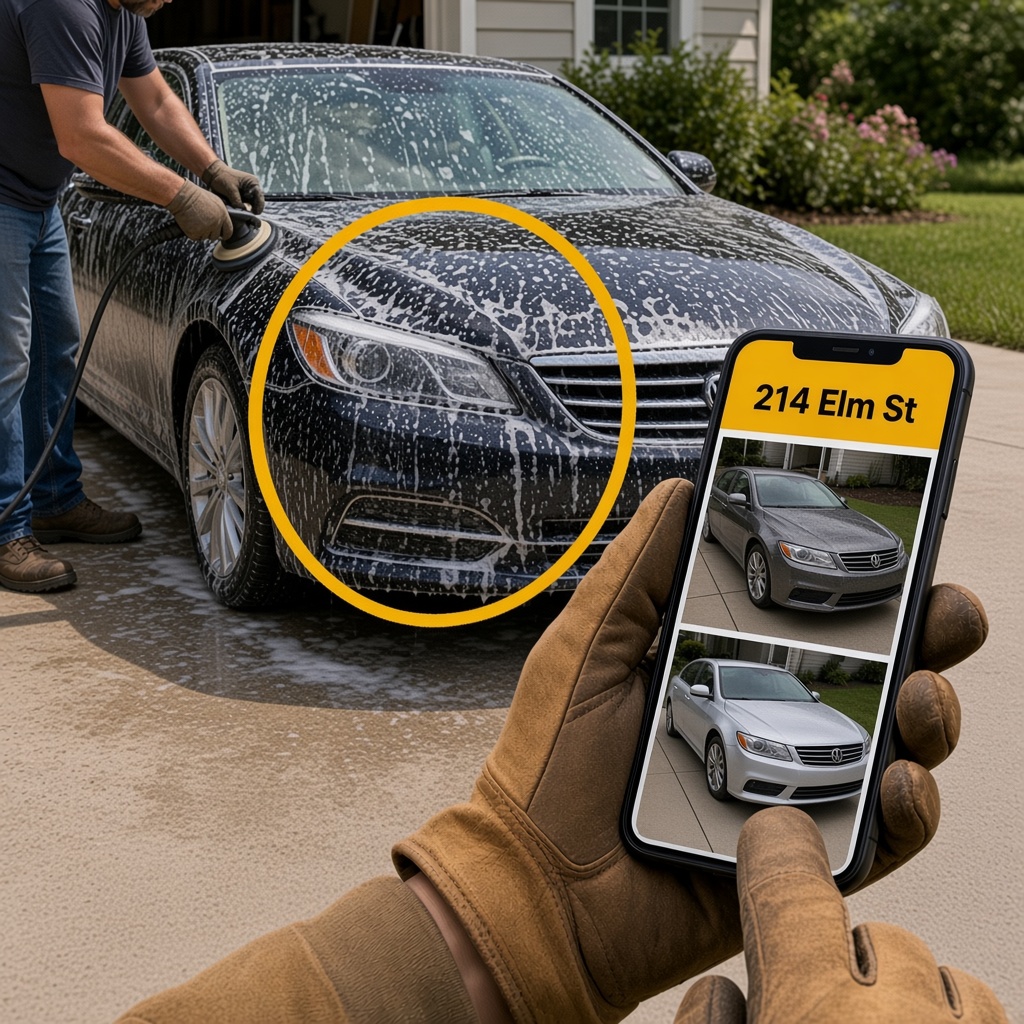
Freshly detailed car in a driveway while a phone shows the before and after for that address

Capture. Share from your page. Get the next detail.

  • Capture before and after on the driveway

    Take the photos while you detail. Both shots land in one album for that address.

  • Send one link from your page

    Customers open the gallery in any browser. No app for them — just your page.

  • Invoice with the same photos

    Attach the album when you send the estimate or invoice from FWDLink.

  • Get found for new details

    Show real before and after on your page. Nearby customers can see your work and reach out.

Capture detail photos without hunting the camera roll

The before often sits on one phone and the after on another, and Tuesday’s sedan disappears into Recents. FWDLink keeps both shots in one album for that address, so when the customer asks to see the detail, you open the house — not a scroll through the whole route. Capture on the driveway, file it once, and keep the pair ready.

Send customers a link from your page

They open a clean gallery under your company name — no app to install. One link works for a wash and wax, a full interior, ceramic, or a fleet van, and you can keep adding photos while they still have the same link. It looks like your brand, not a pile of compressed texts from the van.

Put proof on the estimate and invoice

The photos you already shared can go on the estimate or invoice from the same page. You do not switch apps to dig for the shine shot, and the customer sees the work next to the number. Same album, same brand, one place to close the detail.

Show your work and get more jobs

Your free FWDLink page can show real before and after details — the cars you are proud of. Say you are taking work, and nearby customers can see what you do and reach out. The same photos that close today’s invoice can help you win the next driveway on the street.

Helpers upload while you share

Invite a helper to add photos so field and phone see the same set. You decide what the customer sees, send the link from your page, and keep the invoice with those shots. Nobody is chasing texts between appointments.

Try it free on your next detail

Claim a free page, capture one before and after, and send the customer the link. That is enough to see how FWDLink feels on a real job — then keep using it for the rest of the route and for the next details that find you.

FWDLink is the jobsite photo app for crews — see how it works.

Four reasons mobile detailers try FWDLink

  • Photos scattered across phones

    The before is on the helper’s phone. The after is on yours. The customer gets neither.

    One album on your page

    Everyone uploads to the same address. You send one link.

  • Camera roll for every car

    Tuesday’s sedan and Thursday’s SUV look the same in Recents.

    File by address

    Open the house or the lot — the photos are already there.

  • Ugly handoffs

    Compressed texts do not look like a finished detail.

    A clean customer link

    They open your page in the browser and scroll the before and after.

  • Proof in one place, invoices in another

    You prove the detail in photos, then switch apps to bill.

    Photos and invoices together

    Attach the album when you send the estimate from the same page.

Mobile detailing companies that want the next job too

  • Mobile detailing companies

    Albums by address, customer links, and invoices — under your company name.

  • Solo mobile detailers

    Shoot, share, and invoice from the same page when you pack the van.

  • Interior and exterior packages

    Keep cabin and paint photos on the property, then send one link.

  • Ceramic and correction

    One album for the full process — then the shine on the invoice.

  • Fleet and commercial stops

    One link per lot for the fleet manager — and your page for new accounts.

  • Helpers in the field

    They upload. You send the link and keep the brand.

  • Your public page

    Show details you are proud of so nearby customers can hire you.

  • The customer

    They open one browser link — no install.

From the driveway to your page — then the next job

Capture on site, file by address, send one link, invoice with photos, and show details on your page so nearby work finds you.

  1. Take photos on site

    Shoot the before, then the after, on the phone you already carry.

  2. Keep them with that address

    Each detail gets its own album on your FWDLink page so you can find it later.

  3. Share one link

    Send it from your page. They scroll the before and after in the browser.

  4. Close the job — and get the next one

    Put the photos on the invoice. Keep showing details on your page so new customers find you.

Questions about the mobile detailing photo app

  • What is FWDLink for mobile detailing?

    It is a before and after photo app for mobile detailers. Capture job photos by address, share one link from your page, invoice with those shots, and show your work so new customers can find you.

  • Do customers need the app?

    No. They open a link from your FWDLink page in any browser.

  • Can I send the photos with the quote?

    Yes. Share the album first, then attach the same photos when you send the estimate or invoice from the same page.

  • Can a helper add photos from the driveway?

    Yes. Invite upload access so field shots land in the same address album while you send the customer link.

  • How do I get more mobile detailing jobs?

    Show real before and after details on your free FWDLink page. Nearby customers can see your work and contact you.

  • Is it free to try?

    Yes. Claim a free page, capture a detail, and send a customer link. Join Free and try it on your next job.

Join Free. Capture the detail. Get the next one.

Claim a free page, photograph the before and after, send the customer one link, and show your work so nearby jobs can find you.

Join Free